


Magic Eraser - AI Photo Editor
4.84.63K Reviews
App Specs
- Version
- 3.3.14
- Updated On
- License
- Free
- Downloads
- 10,000,000+
- Developer
- Creatix Technology Global Limited
- Categories
- Photography
- Platform
- Android, iOS
Screenshots

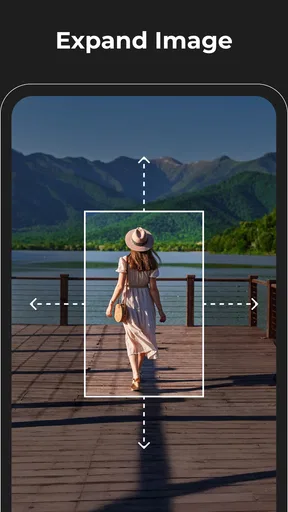
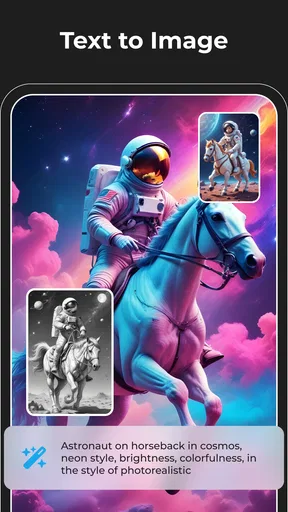

 Analysis by AppCompare
Ever found yourself snapped the perfect photo only to realize there's an unwanted object photobombing your masterpiece? Say hello to Magic Eraser - Remove Objects, your new best friend in the quest for picture-perfect memories. I've been playing around with this app, and let me tell you, it's like having a mini Photoshop in your pocket!
Choosing the right kind of photo fix
Before reaching for an object-removal app, I ask myself what actually needs fixing. A stranger crossing the edge of a holiday photo is a very different problem from a distracting sign behind a subject, and both differ from a dim, blurry shot that needs broader correction. Magic Eraser makes the most sense when the picture is already worth keeping and one visible distraction is spoiling it.
That focus matters because “photo editing” can mean anything from cropping and color adjustments to layered retouching. A basic gallery editor is usually quicker for a simple crop or brightness tweak. A full editing suite may be better when I need detailed control across several parts of an image. For a small unwanted object, though, opening a complicated editor can feel like bringing a toolbox to make one tiny repair.
A practical test is to look at the background behind the thing you want removed. If it is fairly simple—sky, pavement, a wall, or an area of foliage—the repair has a better chance of looking natural. If the object crosses a face, a patterned fabric, or several fine architectural lines, I expect to spend more time checking the result. The app can help with cleanup, but no automatic edit can make every complicated background look untouched.
First Impressions
Right off the bat, the interface of Magic Eraser - Remove Objects is sleek and intuitive. You know how some apps are like an IKEA manual? Not this one. It’s super user-friendly. The main screen greets you with a simple option to either take a new photo or select one from your gallery. No clutter, just straight to business.
Where this app earns its place
The strongest reason to choose it is the narrow job it is built around: cleaning distractions out of a photo without asking me to learn a complete editing workflow first. Its AI-assisted approach is useful when I want to make a quick correction on my phone, inspect the result, and move on. Creatix Technology Global Limited develops the app, and its photography focus is clear from the way the editing task takes center stage.
Imagine taking a group photo at a park. The people are sharp, everyone is looking at the camera, and a bright object on the ground near the edge keeps pulling the eye away. I would select the image, mark that small distraction, then review the repaired area at full size before sharing. That last check is worth the extra moment: a result can look convincing in a small preview but reveal smudging or repeated texture when enlarged.
Worth Reading Before You Choose

EA SPORTS FC Mobile 26 Is a Bigger Football Game, but It Takes Time

Flipboard Shows What News Apps Must Do Beyond the Feed

Switching to Android Auto Means Rethinking Your Driving Routine

Google Calendar Makes a Crowded Week Easier to Manage

Ludo King Makes the Most of the Minutes Between Plans

Baby Panda World Brings Quick Play to Modern Phones, but Its Game Library Feels Busy
For online listings, the same workflow can be useful for removing a stray item from the background of a product photo. I would keep the edit modest, especially if the image is meant to show the item accurately. Cleaning an incidental distraction is different from hiding a flaw in the product itself; the latter can mislead a buyer. For a blog or social post, a quick cleanup can also make the subject easier to notice without changing the overall look of the photo.
Features That Stand Out
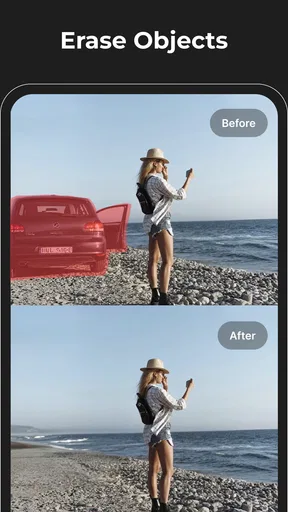
So, what does it actually do? Well, the app promises to remove unwanted objects from your photos. And boy, does it deliver! The standout feature is the intelligent AI that makes the whole process feel like magic. You just highlight the area you want gone, and poof, it's like it was never there. The precision is pretty impressive; it maintains the natural look of the background seamlessly.
Another cool feature is the clone tool. This lets you replicate parts of your image to fill in gaps left after removing objects. It’s a lifesaver for those tricky spots where you need a bit more control. And guess what? You don’t have to be a pro editor to get the hang of it.
One useful habit is to work in small selections rather than marking a large region that includes both the object and a lot of clean background. A broad selection gives the repair more area to reconstruct and can make the result less predictable, especially around edges. I would remove a complicated distraction in a couple of careful passes, checking each one before continuing, instead of trying to erase everything at once.
The clone tool is a different kind of help: it gives me a more hands-on way to cover a stubborn patch when an automatic repair leaves an awkward texture. That control comes with a trade-off, since copied detail can look repeated if it is placed too neatly or too often. I’d use it sparingly, sample from a nearby area with similar lighting, and zoom out afterward to see whether the repeated pattern catches the eye.
When another editor may be a better fit
Compared with a general-purpose photo editor, this app is appealing when the priority is removing an object rather than adjusting an entire image. A full editor is the more sensible choice if I need several kinds of correction, precise layers, or a broader set of adjustments in one project. A quick crop may be the better answer when the distraction sits at the very edge and trimming it does not cut off anything important.
There are also pictures where I would choose not to erase anything. If an object overlaps the main subject or covers a detailed background, reconstructing what was behind it may be guesswork. For documentary, news, or evidence photos, changing the scene can alter what the image represents, so I would preserve the original and avoid presenting a retouched version as an untouched record.
If I only want a small tonal change, such as making a picture brighter, an object remover is not the tool I would open first. Likewise, someone who routinely edits many images with consistent color and layout needs may be more comfortable in a broader workflow. Magic Eraser is most useful as a focused fix, not as a replacement for every editing app on a phone.
Performance and Usability
In terms of performance, the app runs smoothly on both Android and iOS. I’ve tried it on different devices, and it’s consistently fast with minimal lag. It’s definitely well-optimized for mobile use, which is great because who wants to wait forever for edits to apply?
Usability is top-notch. The tutorials are clear and concise, so even if tech isn’t your thing, you’ll be deleting photobombers like a pro in no time. The tools are well-labeled and easy to find, which makes the editing process straightforward. Plus, there’s an undo button that forgives all your mistakes instantly. Because let’s face it, we all need a do-over sometimes.
For a cleaner workflow, I’d keep the unedited photo and treat the retouched version as a separate result whenever possible. That gives me a way back if I later notice an unnatural edge or decide I prefer the original. I also check the whole frame after an edit, not just the repaired spot: removing an object can shift the balance of a composition, and a crop may be a better finishing step once the distraction is gone.
People often wonder whether this sort of tool is meant only for casual snapshots. I think it can help with personal pictures, social posts, and simple product or blog images, provided the repair is visually honest and the background is manageable. It is less suited to high-stakes retouching where every fine detail must be exact. For that, a careful manual workflow in a more comprehensive editor gives more room to inspect and refine the image.
Price, access, and the cost of switching
The app is free to download, with optional in-app purchases ranging from $1.99 to $99.99 per item. I would start with the free experience and decide whether it fits my actual editing habits before paying for anything. The range makes it especially sensible to check the purchase details shown in the app before committing, rather than assuming every useful tool is included at no cost.
Its average rating is 4.8 from around 481,000 ratings, and it has been installed over 5 million times. Those figures suggest that many people have tried it, but they cannot tell me whether it will handle my particular photo well; the background and selection still matter more to the result. It is rated for Everyone, was released on May 30, 2022, and version 2.25.14 requires Android 6.0 or later.
Switching from a familiar editor is not a major commitment if I use this only for occasional cleanup: I can bring in a photo, make one focused edit, and return to my usual tools for anything else. If I have a library of carefully organized edits or rely on a consistent sequence of adjustments, changing my routine just for object removal may not be worthwhile. In that case, I’d compare the finished result and the time involved before making it part of my regular process.
Why You'll Love It
If you’re like me and enjoy sharing your life on social media, this app is going to be your go-to. It’s perfect for those moments when you want to showcase your adventures without any distractions in the background. Whether it’s that random stranger in your vacation shots or the pesky trash can in your perfect sunset photo, Magic Eraser has got you covered.
Not just for fun, it’s also handy for creating professional-looking images. If you’re into online selling or blogging, clean and captivating photos can make a significant difference. This app is a nifty tool to have for anyone serious about their visuals.
I’d recommend it most to people who take plenty of phone photos and occasionally spot one obvious distraction they wish they could remove without learning a large editing suite. It is also approachable for someone who has never used a clone-style tool, because the basic idea is easy to understand and undo gives room to experiment. If you mainly need filters, image organization, or detailed retouching across an entire photo, I would look elsewhere rather than expect this focused app to cover those jobs.
Wrapping Up
To sum it up, Magic Eraser - Remove Objects is a must-have for anyone who loves photography or just wants their social media game to be on point. It’s easy to use, works like a charm, and is incredibly efficient. Plus, it’s free to download with optional in-app purchases for those who want to unlock extra features.
In a world filled with editing apps, this one stands out for its simplicity and effectiveness. So, next time you find an unexpected guest in your photos, just reach for Magic Eraser and watch the magic happen!
My recommendation is to judge it on a few real photos rather than on the promise of a perfect repair in every situation. Try an easy background first, then a more demanding image and inspect both closely. If you value quick, targeted cleanup and are willing to undo or refine an imperfect attempt, it is a practical addition to a mobile photography routine. If your edits need exact reconstruction or broad creative control, a more comprehensive editor will suit you better.
Pros
- Easy to use with intuitive interface.
- Fast processing of images.
- High-quality results without artifacts.
- Supports multiple file formats.
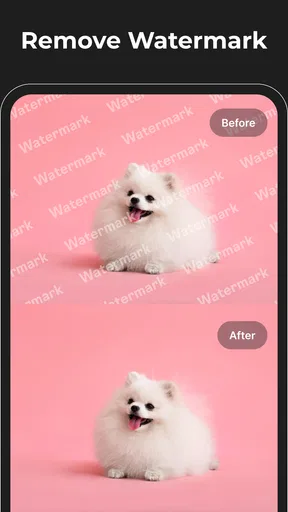
- No watermark on edited images.
Cons
- Limited free version features.
- Occasional lag on older devices.
- Ads can be intrusive at times.
- Requires internet for full features.
- No batch editing capability.
FAQs for Magic Eraser - AI Photo Editor
What is Magic Eraser - Remove Objects and how does it work?
Magic Eraser - Remove Objects is a photo editing app designed to remove unwanted objects from your images. Using advanced AI technology, it analyzes the surrounding pixels to seamlessly fill in the gaps left by the removed objects, ensuring your photos look natural and untouched. Ideal for cleaning up backgrounds or removing distractions.
Is Magic Eraser - Remove Objects easy for beginners to use?
Yes, Magic Eraser is designed with a user-friendly interface that makes it accessible for beginners. The app offers intuitive tools and step-by-step instructions to help users effectively remove objects from their photos, even if they have no prior photo editing experience. Tutorials and tips are also available within the app.
What are the device requirements for Magic Eraser - Remove Objects?
Magic Eraser requires iOS 12.0 or later for iOS devices and Android 8.0 or later for Android devices. It is optimized to run smoothly on most smartphones and tablets, but for the best performance and experience, ensure your device meets these minimum operating system requirements.
Are there any in-app purchases or subscriptions?
Magic Eraser offers a free version with basic features, but to unlock advanced tools and remove ads, users can opt for in-app purchases or a subscription plan. Prices vary depending on the level of features desired, ranging from monthly to yearly subscriptions. Check the app store listing for current pricing details.
How does Magic Eraser handle privacy and data security?
Magic Eraser prioritizes user privacy and data security by ensuring that all photo edits are processed locally on your device. The app does not store or share your images with third parties. Users can also review the app’s privacy policy within the app for more detailed information on data handling practices.


